Hieronder kunt u over elk onderdeel van onze services verdere uitleg vinden. Zijn er desondanks vragen met betrekking tot een van de onderdelen, neemt u dan contact op met onze verkoopafdeling.









INNOVATEST hardheidsmeters worden via een netwerk van Innovatest vestigingen en Exclusieve Distributeurs aangeboden.
Wenst u meer informatie over INNOVATEST in Nederland neem dan vrijblijvend contact op met onze verkoopafdeling in Maastricht.
In Maastricht beschikken wij over een showroom waar meer dan 30 machines gebruiksklaar staan opgesteld, voor demonstratie en trainingsdoeleinden.
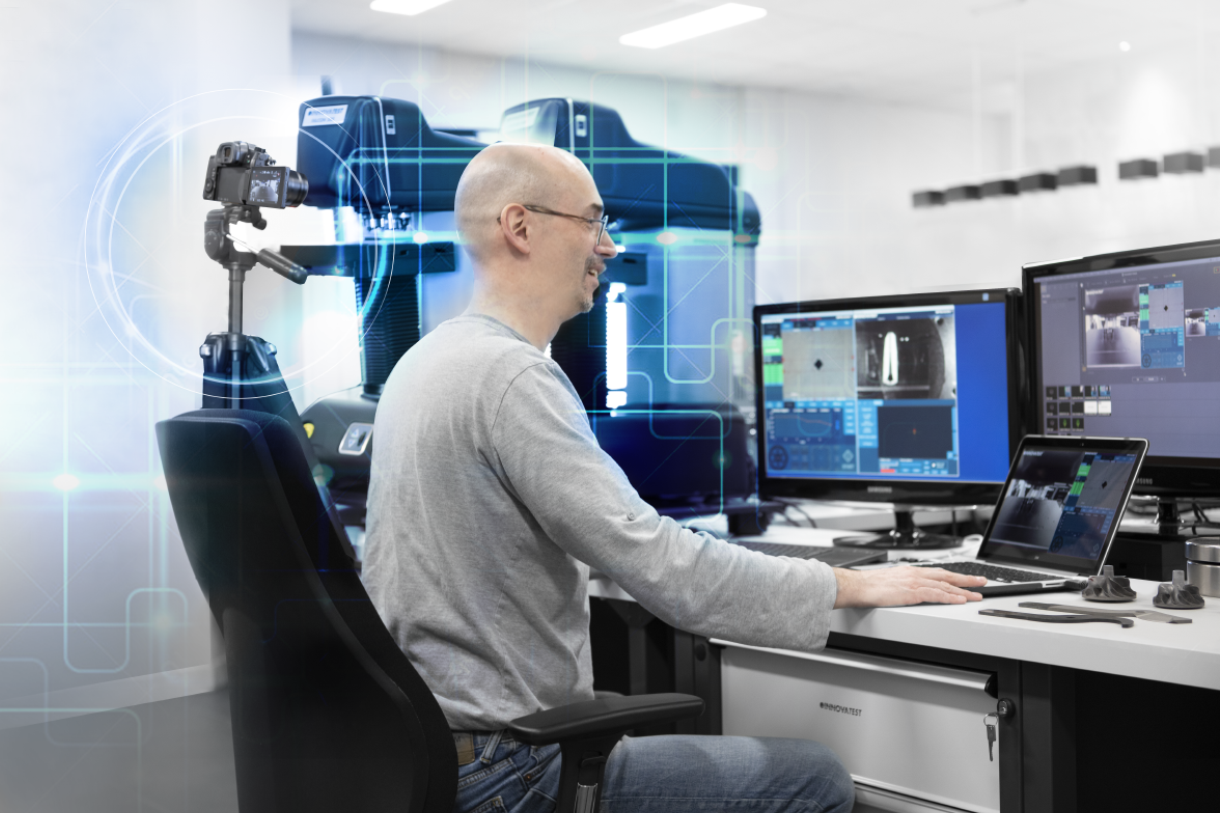
Wij nodigen u uit om contact met ons op te nemen voor een PERSOONLIJKE ONLINE demonstratie van onze hardheidsmeters.
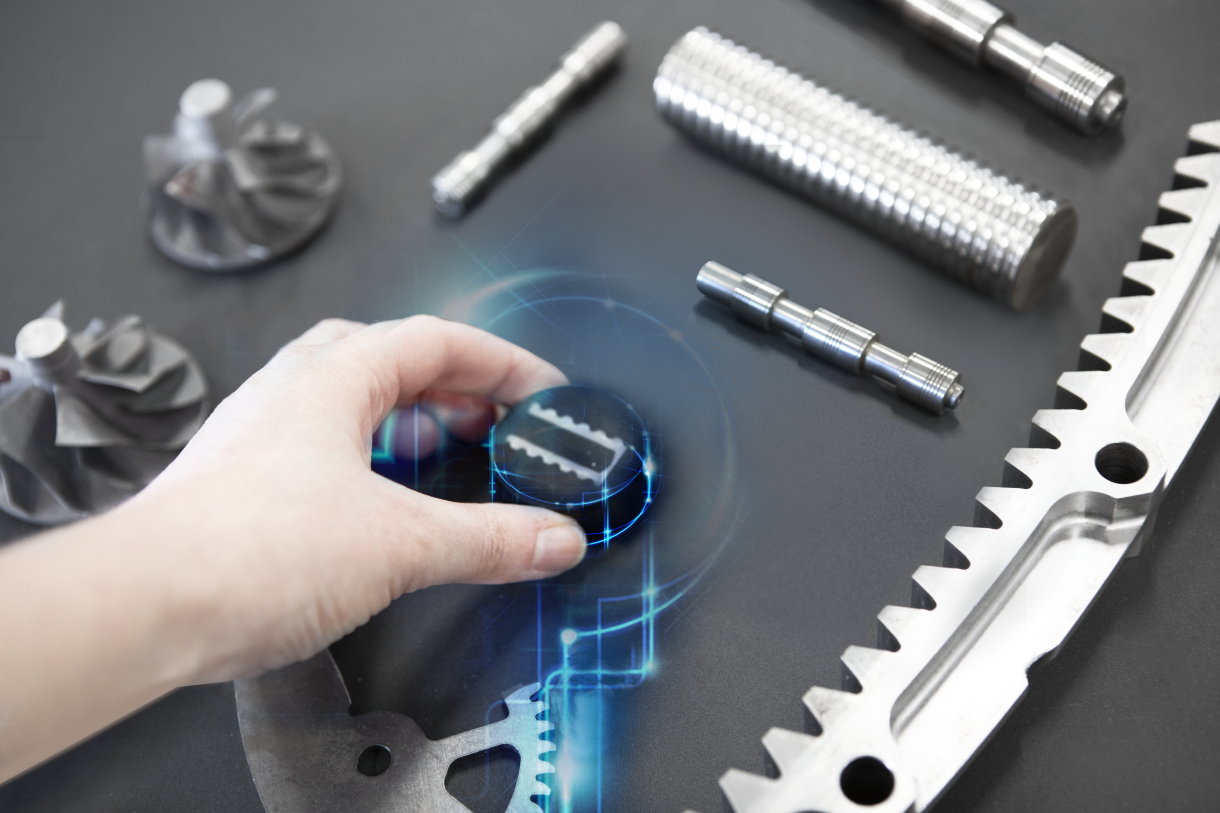
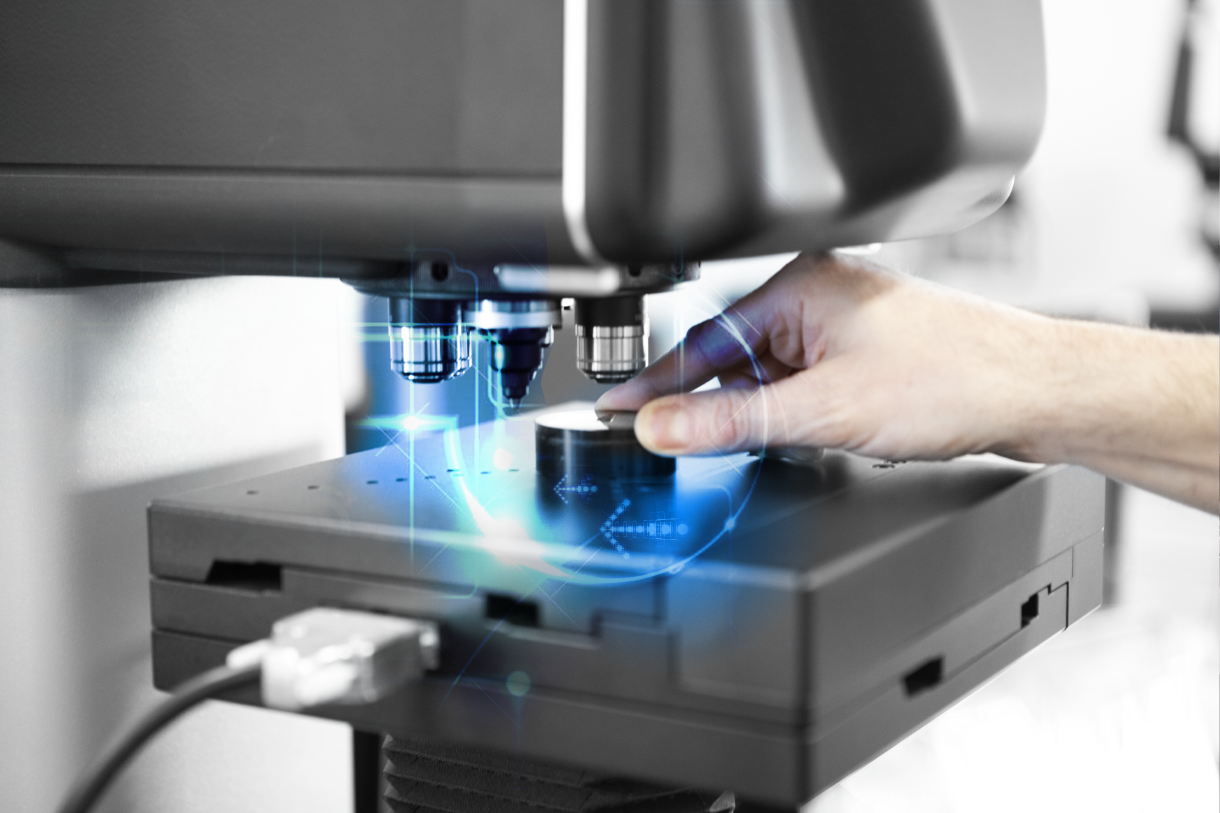
Stuur ons uw proefstukken en vertel ons hoe u deze getest wilt hebben. Onze applicatiespecialist zal vervolgens metingen met verschillende hardheidsmeters en accessoire-combinaties uitvoeren. Hiervan ontvangt u de meetresultaten, rapportages en een overzicht van eventuele kostenvoordelen die zijn verbonden aan de verschillende hardheidsmeters.
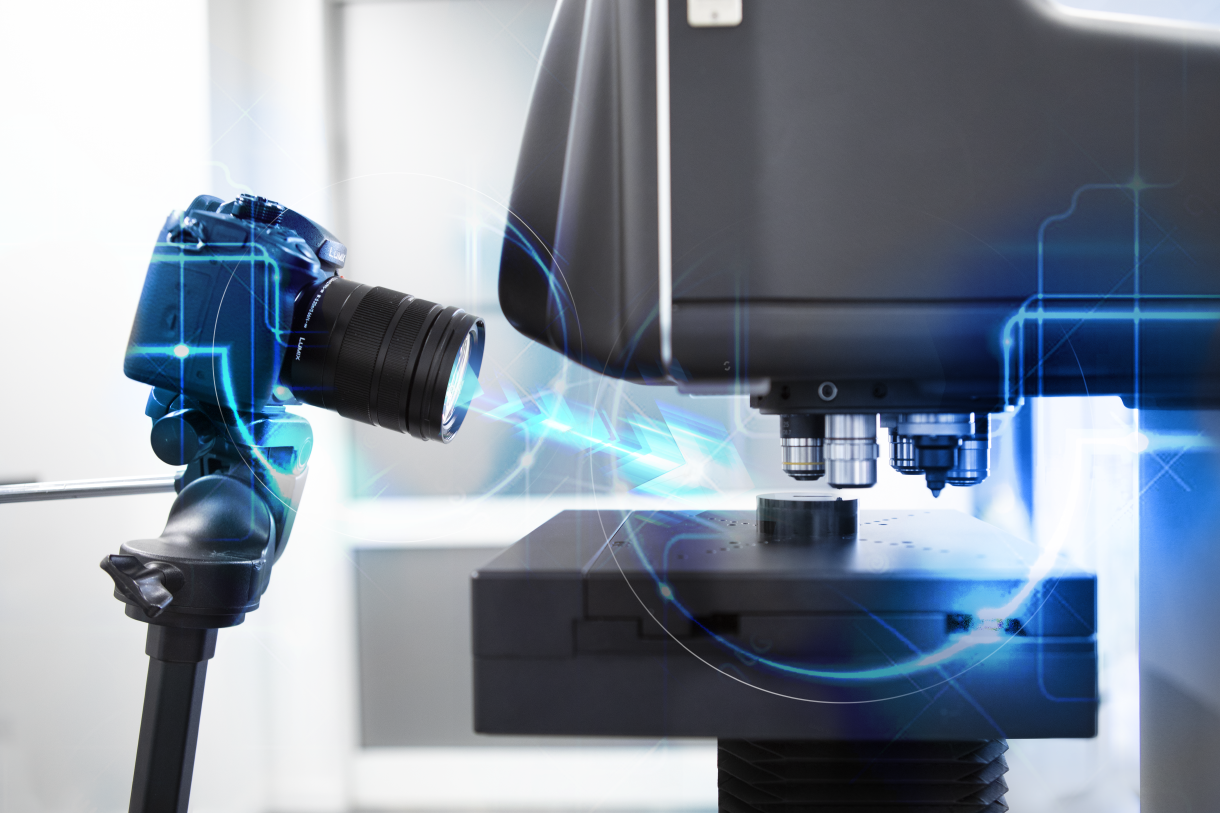
We plannen een online real-time demonstratie, zodat u de “technisch meest geavanceerde hardheidsmeters” met uw proefstukken in actie kunt zien. Resultaten worden vergeleken en u kunt zowel online als offline bekijken hoe één of meer van onze machines de metingen uitvoeren op uw proefstukken.
Laat u door een van onze applicatiespecialisten een live demonstratie geven van één of meer hardheidsmeters en hun toebehoren.
We ondersteunen meerdere systeemoplossingen voor het delen van desktops voor LIVE-demo’s zoals, maar niet beperkt tot: Microsoft Teams, Skype of TeamViewer.
Voor meer details:
Contacteer rechtstreeks ons verkoopteam: demo@innovatest-europe.com, demo@innovatest-usa.com of neem contact op met uw lokale distributeur voor meer informatie of om een afspraak te maken.
Hardheidsmeters presteren optimaal wanneer ze professioneel worden geïnstalleerd in uw werkplaats of laboratorium. Hoewel de meeste INNOVATEST-machines ‘plug and play’ zijn, dienen ze na elk transport te worden gekalibreerd met behulp van herleidbare gecertificeerde kalibratiestandaarden. Dit geldt voor zowel intern als extern transport.
Indien een hardheidstesters van de ene naar de andere locatie wordt vervoerd (via weg-, spoor- of luchttransport), dienen de machines in hun originele (meestal) houten kist te worden verpakt en op de bodem van de kist te worden gefixeerd. Luchtvervoer kan duur zijn en daarom levert Innovatest een lichtgewicht krat die volledig uit elkaar kan worden gedemonteerd. Op deze manier kan de krat eenvoudig worden opgeslagen, voor eventueel later gebruik.
Om u te helpen bij de installatie van een machine, beschikt INNOVATEST over getrainde serviceteams over de hele wereld. Onze wereldwijde distributeurs zijn opgeleid in het installeren van de hardheidstesters en geven operationele training om ervoor te zorgen dat uw werknemers efficiënt en productief met de machine kunnen werken. Laat ons weten hoe we u kunnen helpen!
Ons ervaren serviceteam kan u adviseren over het verplaatsen van uw tester of beter, kan u ontzorgen met de gedetailleerde planning, transportvoorbereiding, herinstallatie, kalibratie en certificering van uw tester. <br>Aarzel niet om ons om advies te vragen.
In Nederland & België geven wij gebruikerscursussen en applicatietrainingen in onze vestiging te Maastricht. Onze productspecialisten staan hier voor uw klaar en hebben beschikking over meer dan 30 bedrijfsklaar opgestelde hardheidsmeters uit ons leveringsprogramma.
INNOVATEST machines zijn uitgerust met IMPRESSIONS™ workflow machinebesturing en applicatie software. Deze software heeft Innovatest in eigenbeheer ontwikkeld en daarbij vooral ingezet op eenvoud in de bediening voor de gebruiker.
De applicaties gaan echter ver, zoals ook het volautomatisch meten van meerdere werkstukken, lasnaden, CHD & NHD en vele andere toepassingen zoals het meten van schroefdraad direct langs de rand van de draad. Veel van deze procedures liggen vast in ISO of ASTM normen.
Wereldwijd verzorgen wij of onze goed opgeleide distributeurs trainingen voor het efficiënte gebruik van onze machines. Zodat u het maximale uit uw investering kunt halen.
Desgewenst verzorgen wij ook trainingen op locatie, in uw bedrijf.
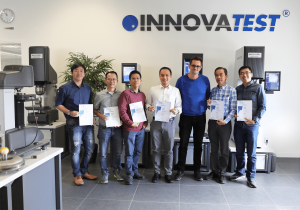
Gebruik het onderstaande formulier om uw INNOVATEST®-product te registreren.
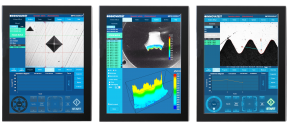
IMPRESSIONS™ workflow gebruikersinterface en machinebesturing is door Innovatest in eigen beheer ontwikkeld. Meer dan 150.000 manuren onderzoek, ontwikkeling en programmeren liggen aan de basis van deze complexe software, die voor de gebruikers van onze machines een wereld van eenvoud in bediening schept.
Naast de normale functies om de machine op een eenvoudige manier te kunnen bedienen heeft Impressions een veelvoud van voorgeprogrammeerde applicaties beschikbaar.
Veel toegepaste functies zoals CHD en NHD hardheidsdiepte metingen zijn met een druk op het scherm eenvoudig te configureren. Maar ook vooringestelde patronen voor lasnadenonderzoek of functies voor het scannen van een werkstukrand zijn slechts een greep uit de vele functies.
Er zijn vaak maandelijks updates en upgrades beschikbaar voor IMPRESSIONS™, die de besturing van de machine steeds verder vervolmaken en zorgen voor eenvoudig te bedienen applicaties. Bent u in het bezit van een Innovatest machine, vraag dan gerust naar de gratis updates voor uw machine of naar een overzicht van upgrades die de functionaliteit verder perfectioneren.
Het ontwerpen en produceren van hardheidsmeters is voor het familiebedrijf INNOVATEST een levensstijl. Dankzij onze opvattingen over producten en service en mede door de inspanningen van onze ca. 130 medewerkers zijn wij er in geslaagd om toonaangevende geavanceerde producten met een superieure kwaliteit aan te bieden.
INNOVATEST staat garant voor een uitstekende gebruikerservaring met de beste garantievoorwaarden.
Ieder INNOVATEST product heeft een standaard garantietermijn van 2 jaar op alle onderdelen met uitzondering van verbruiksartikelen zoals indenters, testplaten of batterijen.
Deze standaard garantietermijn kan worden uitgebreid tot maar liefst 25 jaar.



*Contacteer onze verkoopafdeling voor meer informatie.
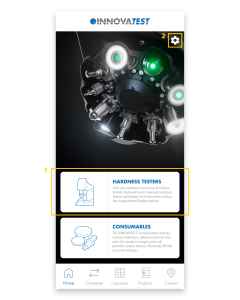
This page contains most of the information about the INNOVATEST app. We explain the most important functionalities per screen. If you still have questions after reading this page, please fill in the contact form at the bottom of the page. We will get back to you as soon as possible!
1.
This is the page you will land on after starting the app. You can use the white blocks to quickly navigate to the Products page – Hardness Testers or the Products page – Consumables.
2.
The settings-icon on the top right takes you to the Settings. Here you can change the language of the app and see which version of the app is installed.
1.
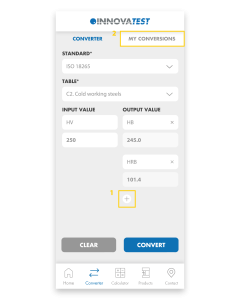
Easily convert your hardness values to other scales. First, select the Standard and then choose the Table. Select the Input and enter the value you measured. Easily add multiple Outputs and then click ‘Convert’ to convert the value.
2.
All converted values are automatically saved in My Conversions.
1.
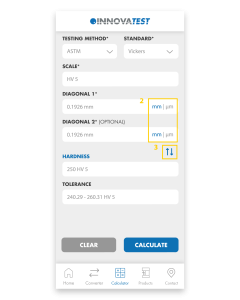
The app will calculate the Hardness, Diagonals and Tolerances for you. Choose the Test Method and Standard, select the Scale you want to use and fill in the Diagonals. Press ‘Calculate’ and the app will calculate the Hardness and Tolerance for you.
2.
You can easily switch between mm and μm by clicking on these abbreviations.
3.
By clicking on the blue arrows you can change Diagonals to Hardness. That way you can calculate the Diagonals or Diameter from the Hardness value.
1.
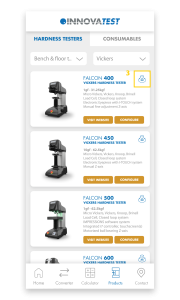
Visit our full range of products on this page. The Products page consists of Hardness Testers and Consumables. Under Hardness Testers you will find Hardness testers and Portables. Our Consumables consist of Indenters, Reference blocks and Sets.
2.
Each product block consists of a number of buttons; ‘Visit website’, ‘Configure’ and a 360° icon. ‘Visit website’ sends you to the website where all details about the tester are gathered. ‘Configure’ redirects you to the Configurator on our website where you can configure the machine to your liking. Once you have assembled your machine, you can easily request a quote and return to the app.
3.
The 360° icon allows you to view our testers in Augmented Reality. Using the camera of your phone, you can place our models anywhere in the real world and view them from all angles. The scale of our testers is pretty accurate so you immediately get an impression of the size of our machines. By switching to the ‘Object’ tab you can isolate the machine and scale and rotate it as you wish. If you are unable to load a tester, it usually helps to point the camera at a flat surface before clicking the 360 icon. If you move the camera slowly around, it will recognize the surface more easily and automatically load the tester.
4.
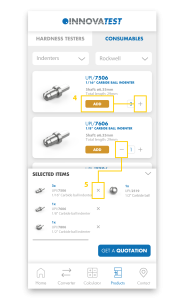
Here you can see all our consumables and add them to your shopping basket by pressing ‘+’ or ‘add’. Under ‘Selected items’ you will find all added products and you can request a quotation with one click on the button. You will automatically receive a confirmation e-mail with all selected items.
5.
To remove products from the basket, press ‘-‘ or the ‘X’ in the basket.
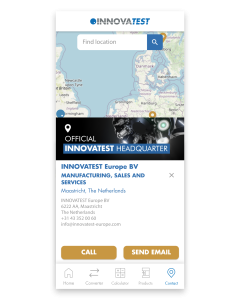
1.
On the Contact Us page you will find all our branches and distributors. Clicking on any of our establishments will automatically display all contact information. Please feel free to contact us if you have any questions. If you have other questions regarding our app, please fill in the contact form below and we will get back to you as soon as possible.
Can’t wait to try out our new app? Scan or click the QR-code below and download our INNOVATEST Hardness Converter!